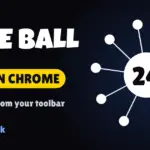




























Core Ball is now available as a free Chrome extension. After months of players asking for a faster way to start a run, our official Core Ball – Arcade Game extension has been approved and published on the Chrome Web Store. Install it once, and the game you know from coreball.co.uk is one click away in your browser toolbar.
The Core Ball extension in 30 seconds
- Price: free, published on the official Chrome Web Store.
- Where it lives: your Chrome toolbar, ready whenever you need a short break.
- What you play: the same Core Ball rules: launch pins into a rotating core without touching another pin.
- Levels: endless progression, so there is always one more level to clear.
Why we built a Core Ball extension for Chrome
Most Core Ball sessions are short. Players open the game between two tasks, clear a few levels, and come back later to beat their best score. Typing the address or digging through bookmarks every time adds friction to something that should take seconds. The extension removes that step: click the icon, play, close.
It also made sense for the way people discover games today. A lot of players search the Chrome Web Store directly for quick arcade games, and many of them had never heard of our site. Being listed there helps new players find Core Ball, and gives existing players an official, trusted place to install it.
How to install Core Ball on Chrome
- Open the Core Ball – Arcade Game page on the Chrome Web Store.
- Click Add to Chrome, then confirm with Add extension.
- Click the puzzle-piece icon in your toolbar and pin Core Ball so it stays visible.
- Click the Core Ball icon whenever you want to play.
To remove it later, right-click the icon and choose Remove from Chrome. Nothing else on your computer changes.
Extension or website: which one should you use?
Both are free, and both play the same game. Pick the one that fits how you play:
- Use the extension if you play on the same Chrome browser every day and want the fastest possible start.
- Use the website on a phone, tablet, Safari, Firefox, a school or work computer where you cannot install extensions, or when you want to explore the other games in our catalogue.
The website stays our main home: it is where we publish new games, guides and updates. You can always play Core Ball online here without installing anything.
Tips for your first runs on the extension
The rules do not change, so everything you already know still works. Read the rotation for one full turn before your first shot, keep a steady rhythm instead of tapping fast, and restart quickly when a level goes wrong. If you want the full method, our guide Coreball Tips and Strategies: How to Beat the Hardest Levels breaks it down level by level, and How Coreball Works explains the mechanics behind the spin.
Help us grow: leave a review
The extension is brand new, which means every rating counts. If you enjoy it, a short review on the Chrome Web Store listing helps other players find the game and tells us what to improve next. Found a bug or have an idea? Send it to us through our contact page.
FAQ
Is the Core Ball Chrome extension free?
Yes. It is free to install and free to play, just like the website.
Is it the official Core Ball extension from coreball.co.uk?
Yes. It is published by the team behind coreball.co.uk, and the Chrome Web Store listing links back to this site.
Does it work on Edge, Brave or Opera?
Most Chromium-based browsers can install extensions from the Chrome Web Store, so it should work there too. On other browsers, simply play on the website.
Can I still play on my phone?
Yes. Chrome extensions do not run on mobile, but Core Ball on coreball.co.uk is fully touch-friendly.