



















If you love rhythm, timing, and that one-more-go feeling, you’re in the right place. Play Looper Online for free and jump straight into a clean, satisfying puzzle experience where every tap places a note on a looping track. We built Looper to be instantly fun to pick up yet surprisingly deep as you chase perfect cycles, unlock new track styles, and discover clever interactions between moving objects. It runs right here in your browser, so you can try a level in the iframe, feel the beat, and keep going.
What is Looper?
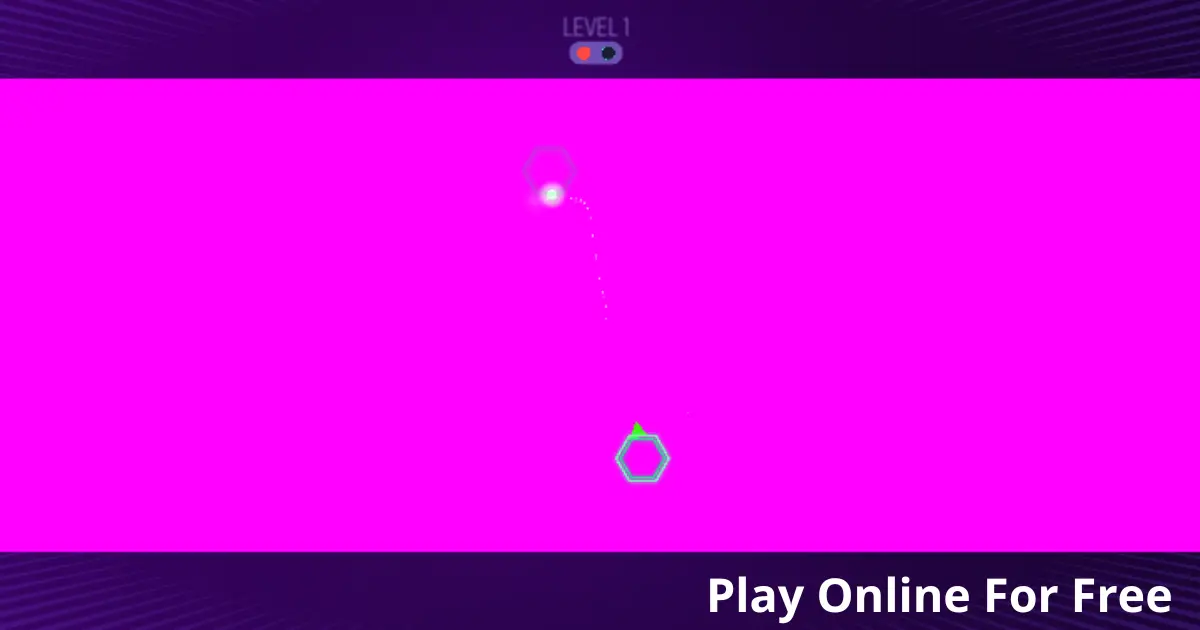
Looper is our minimalist rhythm-puzzle game where you place bouncing dots onto a circular track so they loop in time without colliding. We designed it as a small passion project that grew into a proper web release. The first public build landed in 2025 after months of tweaking timing windows, hitboxes, and the way the audio layers respond to your placements. We wanted a toy that feels musical even if you’re not a musician. Players build satisfying patterns, craft little melodies, and nudge loops until everything clicks in sync.
Looper Gameplay
Each level features one or more rotating tracks plus moving obstacles. Your goal is to tap to drop a dot so it lands on the track and keeps looping. If two dots collide, the loop breaks and you try again. As you progress, you’ll juggle multiple tracks, tempo shifts, conveyor arcs, gates that open on the beat, and portals that change a dot’s lane. Mastering Looper is about precise timing, clean spacing, and using obstacles as guides rather than enemies.
Platform
You can play this game directly in your web browser, whether you’re using a desktop, laptop, tablet, or mobile device.
How to Play Looper?
Start a level and watch the track rotate. Each rotation represents a bar. Tapping places a dot that starts looping around the circle. Your challenge is to place every required dot so that no two paths intersect at the same time. If there’s a collision, the level restarts instantly so you can adjust your timing. Early levels teach spacing with a single track. Later levels layer rhythms, tempo changes, and moving gates. The trick is to think in counts: 1-2-3-4. Visual markers on the track help you drop dots at even intervals.
We spent hours perfecting the restart flow so you are back in the loop in a flash. The faster your retries, the more you learn each pattern. If you like to play silently, the visual beat guides are enough. If you play with sound, each placed dot adds a tone so your solution becomes a little song.
Controls
Desktop or Laptop: Click to drop a dot. Press Space to quick-retry. Hold R to reset the level state.
Mobile or Tablet: Tap to drop a dot. Tap the retry button to restart. Long press for an instant reset.
Tips and Tricks for Looper
- Count the beats out loud on your first attempt. 1-2-3-4 helps you place dots at clean quarters, then you can refine to eighths.
- Use landmarks. We added tiny ticks on the rim so you can eyeball even spacing without guessing.
- Drop the first dot exactly on the marker, then measure others relative to that anchor. Consistent anchors make harder levels feel fair.
- If two dots keep colliding, place one a fraction earlier and the other a fraction later. Small nudges beat big changes.
- Treat obstacles as metronomes. When a gate opens on beat 3, schedule your pass right after it closes so loops never meet at the choke point.
- On multi-track levels, solve one loop at a time. Lock a safe pattern on the outer ring before adding an inner counter-rhythm.
- Use the instant retry. Fast restarts are part of the fun and help develop timing muscle memory.
- For tempo-change tracks, place dots right before the transition so their spacing stretches naturally through the change.
- If you’re stuck, mute audio and rely on visuals, or do the opposite. Switching senses often reveals the pattern.
- Chase Perfect Loops. Try to complete levels without a single collision after the first placement to earn shiny medals.
Features of Looper
- Minimalist rhythm-puzzle design that feels musical and relaxing.
- Instant retries with virtually no downtime so learning is fast and fun.
- Dozens of handcrafted levels with new twists like gates, portals, and tempo shifts.
- Optional sound layers where each dot adds a tone to your looped melody.
- Progress medals, Perfect Loop challenges, and speed-run timers for advanced players.
- Smooth performance in modern browsers with responsive mobile touch controls.
- Accessible visual beat markers for players who prefer silent play.
- Lightweight load with no accounts required. Just press play.
Looper online
This browser edition is tuned for direct play. We trimmed download sizes, simplified shaders, and tightened input latency so Looper feels snappy on Chrome, Firefox, Safari, Edge, and Opera. It is a faithful version of our full game with smart tweaks for short sessions. You can jump in during a break, complete a level or two, then return later without losing progress.
Looper for Free
Play Looper free in your browser. There are no paywalls and no required purchases. All the games on our site are free to play so you can focus on solving patterns and chasing medals. Optional cosmetic themes may appear in future updates, but the core experience remains free.
Why Looper runs in your browser
Want Looper outside the browser
Android: Get it on Google Play.
iOS: Download on the Apple App Store.
APK: If you cannot access the store, sideload the official APK from our site’s downloads page once available.
PC: A small Windows and macOS build is planned. Wishlist the desktop version on our upcoming store page then enjoy full-screen low-latency play.
FAQs About Looper
What Makes Looper Different From Other Rhythm Games
We combine simple one-tap placement with looping tracks so your solution creates the soundtrack. The aim is calm flow, not twitch difficulty.
How Many Levels Are In Looper At Launch
The browser edition ships with dozens of handcrafted stages plus daily shuffles. We add more over time based on feedback.
Can I Play Looper Without Sound
Yes. Visual beat markers and clean rotation cues are enough to solve every level. Sound simply adds a musical layer.
Does Looper Work On Older Phones
If your device runs a modern browser, you should be fine. We target smooth 60 fps on recent mid-range phones and provide a battery saver option.
How Do Perfect Loop Medals Work
Complete a level with no collisions after placing your first dot. Clean spacing and steady counts are your friends.
Can I Switch Themes Or Colourblind Modes
Yes. Open the settings icon in the game frame to switch themes, enable colourblind-friendly palettes, and adjust contrast.
Will My Progress Save Between Sessions
Your progress saves locally in your browser. If you clear site data, your medals reset. Cloud sync may arrive later.
Is There A Way To Slow Down The Track For Practice
Enable Practice Speed in settings to reduce rotation speed temporarily. It’s great for learning tricky patterns.
Conclusion
We built Looper for that sweet mix of calm and challenge. You drop a dot, watch it orbit, then refine the timing until everything sings. It is quick to learn and deeply satisfying to master. What we love most is how your solution becomes a melody. The better your spacing, the nicer it sounds, which makes practising feel rewarding. That loop of try, adjust, perfect is exactly what we set out to create. Ready to place your first dot and hear your loop Take a breath, count in, and press play in the iframe above. Enjoy.